WhatsApp for Odoo Community
Answer your customers on WhatsApp from Odoo Discuss: every chat linked to the right contact, delivery and read ticks, several numbers, the official Meta connection. No Enterprise licence and no monthly fee for the module.
Your WhatsApp chats, inside Odoo
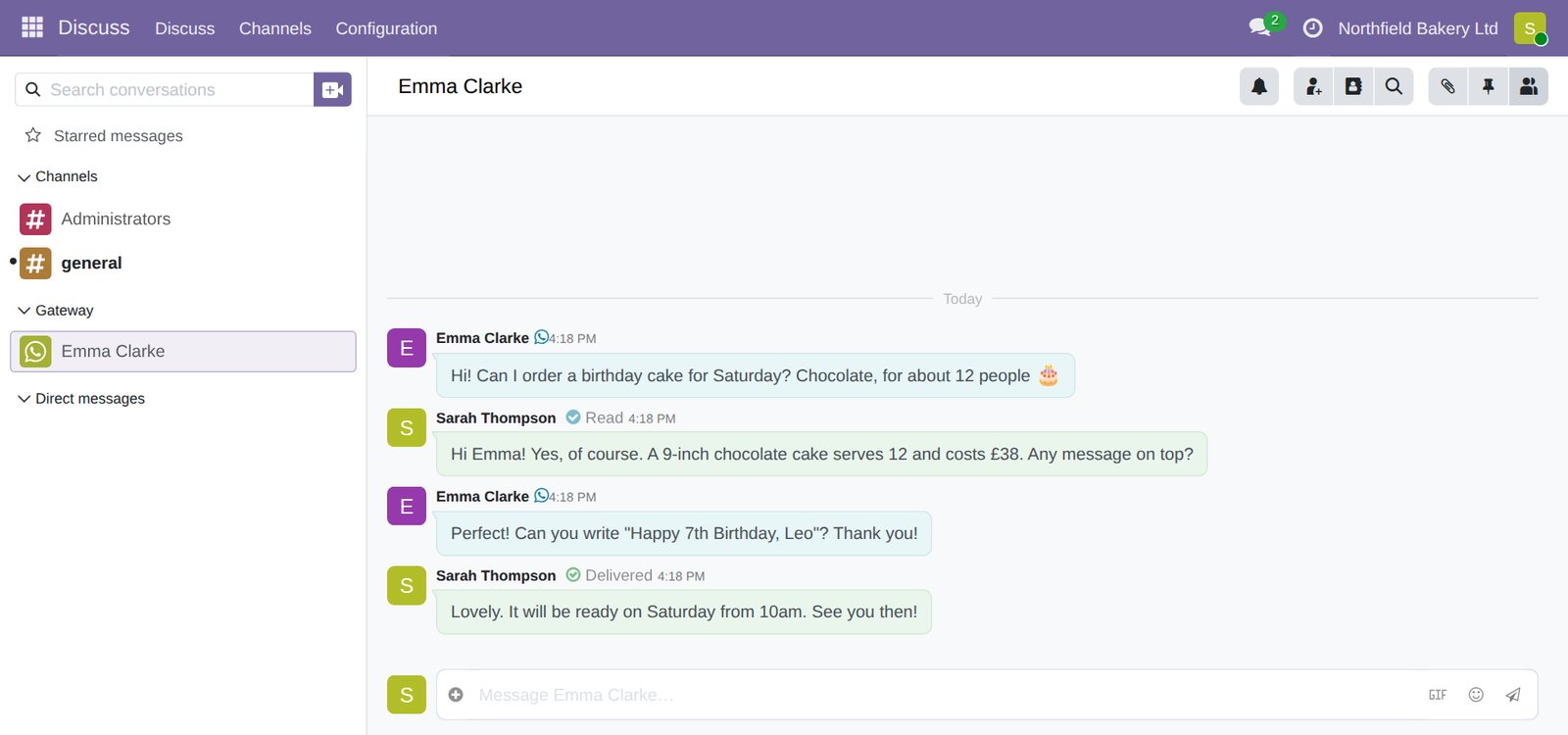
A customer writes to your business number and the conversation appears in Discuss, next to your team chats. Anyone in the team can answer, attach a photo or a PDF, and see when the message was delivered and read. The chat is linked to the customer's contact, so the history stays with your other records.
What you get
- Works on Odoo Community. Odoo's own WhatsApp app is part of Enterprise. This one runs on the free edition, on Odoo 19.
- The official Meta connection. It uses the WhatsApp Business Cloud API, the route Meta supports for business software, not a QR-code link to a phone.
- Photos, voice notes and documents. Customers can send them, and you can reply with attachments.
- Ticks you can trust. Grey for sent, green for delivered, blue for read. A failed message shows Meta's reason and a Retry button.
- Several numbers in one database. Sales, support and each shop can have their own number and team. Each message is answered from the number it was sent to.
- Templates. Your approved WhatsApp templates are downloaded into Odoo, for messages sent more than 24 hours after the customer's last one.
- Access under control. Only the team of a number sees its chats. The Meta access keys can be read only by your administrators.
- Open source. The code is yours to keep, under the AGPL licence. No lock-in and no fee per user.
How it compares
| Odoo Enterprise WhatsApp | Modules from the Odoo app store | Pro Technologies | |
|---|---|---|---|
| Runs on Odoo Community | No | Yes | Yes |
| Connection to WhatsApp | Official Meta API | Varies: some use an unofficial link through a phone | Official Meta API |
| Licence | Enterprise subscription for every user | Module price, sometimes plus a monthly plan | Free, open source |
| Set-up | By you or an Odoo partner | By you | Done for you, with written instructions |
How we set it up
- We install the module on your Odoo 19 Community, on our hosting or on your own server.
- We guide you through the Meta side in writing: the app, the business account and a permanent access key. You stay the owner of all of it.
- We connect your number, test messages both ways and set up the team that receives the chats.
- You get a short written guide for your team. Adding another number later takes minutes.
Prices
No VAT added — the price you see is the price you pay.
| WhatsApp set-up Module installed, Meta app and permanent key, your first number connected and tested, team set up, written guide | £395 one-off |
| Each additional number | £95 |
| Support | Included in Odoo Care (£195/month), or £85 an hour |
| Help with Meta business verification, if Meta asks for it | £85 an hour |
Meta bills you directly for WhatsApp template messages, at its published rates. Replies within 24 hours of the customer's last message cost nothing.
Before we start
- Odoo 19 Community. On our hosting or your own server. Odoo Online cannot run extra modules; if you are on it, we can move you to Community.
- A number for WhatsApp Business Platform. A number used in the WhatsApp app on a phone stops working there once it is connected. Most businesses use a separate number for Odoo.
- Admin access to your Meta Business account. You add the details yourself, following our instructions. We never ask for your Facebook password.
Questions
Can I keep WhatsApp on my phone with the same number?
Not with this set-up: the number moves to the WhatsApp Business Platform and is answered from Odoo. Your team can still reply from a phone, in Odoo's mobile app or browser.
How many numbers can I connect?
As many as Meta allows: two per business until Meta verifies your business, then up to twenty.
Where are the messages stored?
In your Odoo database: on your own server, or on our UK hosting.
Can I see the code?
Yes. The module is open source (AGPL), based on modules of the Odoo Community Association, with our changes for Odoo 19.
Answer WhatsApp from Odoo
Tell us which Odoo you have and how many numbers you need. We reply in writing, usually the same working day.